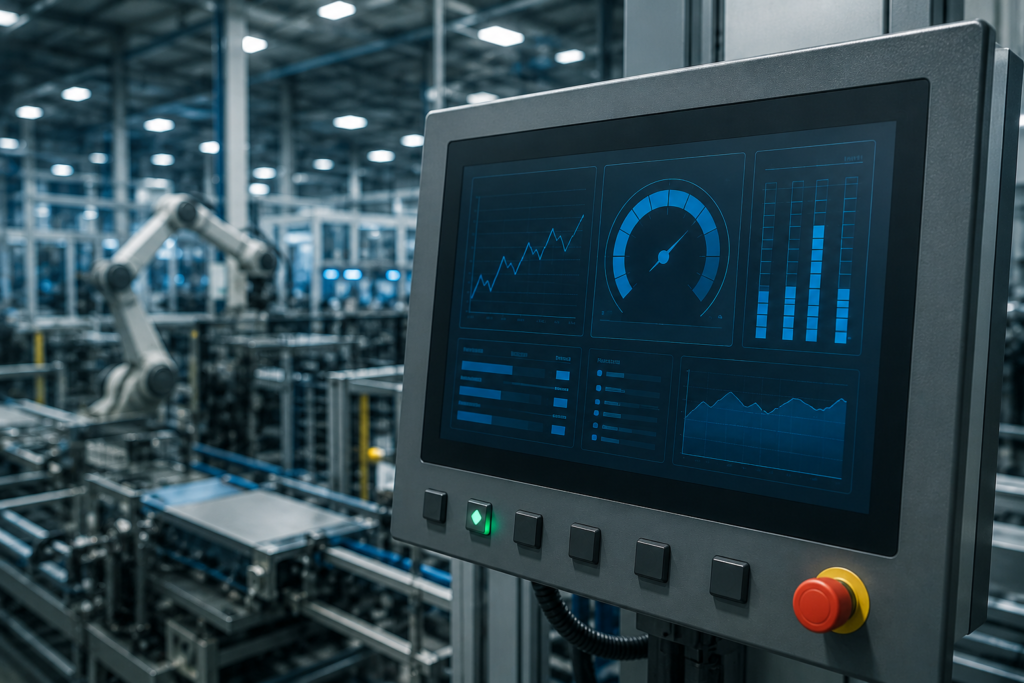
Modern industrial facilities depend on Human Machine Interface (HMI) systems to monitor equipment, control production processes, and provide operators with real-time information. Whether a factory uses a small touchscreen panel or a large SCADA-connected HMI, system performance directly affects productivity, operational safety, and decision-making. When an HMI responds instantly, operators can react quickly to alarms, adjust machine settings, and monitor production without delays. However, when the interface becomes slow, unresponsive, or overloaded, even simple tasks may take longer than expected, increasing the risk of downtime and operational errors.
HMI Performance Optimization is the process of improving the speed, responsiveness, stability, and efficiency of an HMI system. It involves optimizing communication with PLCs, reducing unnecessary graphics, managing data efficiently, and designing screens that load quickly without sacrificing usability. A well-optimized HMI not only enhances the user experience but also improves the overall performance of industrial automation systems.
As manufacturing continues to adopt Industry 4.0 technologies, industrial networks have become more complex. HMIs now communicate with multiple PLCs, sensors, databases, cloud platforms, and enterprise systems simultaneously. Without proper optimization, this increasing workload can slow the interface and reduce system reliability. That is why performance optimization has become an essential part of modern automation engineering rather than an optional improvement.
This guide explains how HMI Performance Optimization works, why it matters in industrial automation, and what factors influence system performance. You will also learn practical techniques that help engineers build faster, more reliable, and more efficient HMI systems.
What Is HMI Performance Optimization?
HMI Performance Optimization is the practice of improving how efficiently an HMI system processes information, communicates with controllers, and displays data to operators. The goal is to ensure that every screen loads quickly, every button responds immediately, and every process value updates accurately without unnecessary delays.
An HMI performs several tasks at the same time. It exchanges information with one or more PLCs, updates graphical objects, records historical data, processes alarms, manages user interactions, and sometimes communicates with cloud services or SCADA systems. As these responsibilities increase, system resources such as processor usage, memory, and network bandwidth become more heavily utilized. Without optimization, these resources may become overloaded, leading to slower performance.
Performance optimization focuses on using available hardware and software resources more efficiently. Instead of forcing the system to process unnecessary data or redraw complex graphics continuously, optimized HMIs prioritize essential information and eliminate tasks that waste processing power.
A properly optimized HMI delivers several important benefits. Operators experience faster screen transitions, smoother animations, quicker alarm acknowledgments, and more reliable communication with industrial equipment. Maintenance engineers also benefit because optimized systems are easier to troubleshoot and maintain over time.
Performance optimization is not limited to software development. It also includes selecting suitable hardware, designing efficient communication networks, organizing tags correctly, and creating user-friendly interface layouts. Every component contributes to the overall speed and reliability of the system.
Why HMI Performance Matters
In industrial automation, every second can influence productivity. Operators often rely on HMI screens to identify machine status, monitor production, and respond to unexpected conditions. Even a small delay in displaying information may affect operational efficiency.
Imagine a packaging line operating at high speed. If the HMI takes several seconds to display an alarm or refresh production data, operators may not notice developing issues immediately. A delayed response can increase material waste, extend downtime, and reduce production quality.
Fast HMI performance allows operators to make decisions based on current information rather than outdated data. This improves confidence during machine operation and reduces the possibility of incorrect actions caused by delayed updates.
Reliable performance also contributes to workplace safety. Emergency conditions require immediate operator awareness. When alarms appear instantly and control commands execute without delay, personnel can respond faster and reduce potential hazards.
Another important advantage involves maintenance. Engineers frequently use HMI systems during troubleshooting. A responsive interface helps maintenance teams identify faults quickly, reducing machine downtime and restoring production more efficiently.
Modern factories also generate large amounts of operational data. Efficient HMIs can process this information smoothly without overwhelming the operator. Instead of struggling with slow screens or delayed trends, users receive a clear and responsive interface that supports better decision-making.
From a business perspective, optimized HMI performance helps reduce operational costs. Faster systems minimize downtime, improve production consistency, extend equipment life, and increase overall manufacturing efficiency. These long-term benefits often justify the effort invested in optimization.
Common Signs of Poor HMI Performance
Many performance problems develop gradually, making them difficult to recognize during the early stages. Operators may simply assume that slow response times are normal until the system becomes increasingly difficult to use.
One of the most noticeable symptoms is slow screen loading. When operators switch between process screens, production overviews, or alarm pages, the interface should respond almost immediately. If every screen takes several seconds to appear, optimization is likely required.
Another common issue involves delayed data updates. Process values should refresh continuously according to system requirements. If temperatures, pressures, motor speeds, or production counts appear several seconds behind actual conditions, communication performance may need improvement.
Touchscreen response also provides valuable insight into overall system health. Operators expect buttons, menus, and navigation controls to react immediately after being pressed. Slow response creates frustration and may reduce operator confidence during production.
Frequent freezing represents another serious warning sign. An HMI that temporarily stops responding before recovering often indicates excessive processor usage, insufficient memory, or overloaded communication tasks.
Alarm delays should never be ignored. Industrial alarms exist to notify operators about abnormal conditions as quickly as possible. If alarms appear late or acknowledgment takes longer than expected, production safety may be compromised.
Some systems also experience sluggish trend displays. Historical graphs may require excessive loading time, or live trends may update slowly because the HMI attempts to process more data than necessary.
Communication errors frequently accompany poor performance. Operators may notice disconnected PLCs, timeout messages, missing values, or intermittent communication failures during normal operation.
Another indicator appears during startup. An optimized HMI should initialize efficiently after power restoration. Excessively long startup times often suggest unnecessary background processes or oversized project files.
These symptoms rarely result from a single problem. Instead, they usually develop through a combination of inefficient graphics, excessive communication requests, poorly organized tags, outdated hardware, network congestion, and software configuration issues.
Recognizing these warning signs early allows engineers to improve system performance before production is significantly affected.
Factors That Affect HMI System Speed
Several technical factors determine how quickly an HMI performs during daily operation. Understanding these factors helps engineers identify opportunities for optimization and avoid common design mistakes.
Hardware plays a major role in overall performance. Older HMI panels often have limited processing power and memory compared to modern industrial computers. As projects grow larger, outdated hardware may struggle to handle increasing workloads efficiently. Selecting hardware that matches project complexity creates a strong foundation for reliable performance.
Processor utilization directly influences response speed. Every graphical object, communication request, alarm calculation, and trend update consumes processor resources. When CPU usage remains consistently high, the HMI becomes slower because it has fewer resources available for user interaction.
Memory availability is equally important. Large graphics, high-resolution images, extensive historical data, and oversized project files require significant memory allocation. Insufficient memory forces the system to work less efficiently, increasing loading times and reducing responsiveness.
Communication architecture also affects performance. Every request sent between the HMI and PLC requires processing time. If thousands of tags update continuously at very short intervals, communication traffic increases substantially. Efficient tag management helps reduce unnecessary network activity while maintaining accurate process information.
Network quality has a direct impact on distributed automation systems. Poor Ethernet infrastructure, overloaded switches, unstable wireless connections, or damaged cables introduce delays that affect HMI responsiveness. Even a well-designed interface cannot perform efficiently if communication infrastructure is unreliable.
Project design influences performance more than many engineers realize. Screens filled with unnecessary animations, overlapping graphics, excessive transparency effects, and constantly refreshing objects consume valuable processing resources. A clean and organized interface usually performs better while remaining easier for operators to understand.
Software configuration also contributes significantly. Inefficient scripts, excessive background tasks, continuous logging, and unnecessary calculations may gradually reduce system speed. Proper optimization ensures these processes run only when required instead of continuously consuming resources.
Finally, system maintenance should never be overlooked. Software updates, database cleanup, communication diagnostics, and regular performance reviews help maintain consistent HMI operation throughout the equipment's lifecycle. Even the most carefully designed system benefits from periodic optimization as production requirements evolve.
Best Practices for HMI Performance Optimization
Achieving excellent HMI Performance Optimization requires more than upgrading hardware. A fast and reliable HMI results from careful project planning, efficient communication, optimized graphics, and regular maintenance. Every design decision influences how quickly operators receive information and how smoothly the interface responds during production.
Many industrial facilities experience slow HMI performance because projects gradually become larger over time. New screens, additional tags, alarm configurations, and historical data are often added without reviewing their impact on system resources. As the project grows, the HMI must process more information every second, making HMI Performance Optimization increasingly important.
Engineers who prioritize performance from the beginning usually build systems that remain responsive for many years. Optimizing an HMI is not about removing useful features. Instead, it focuses on making every feature work more efficiently while using available resources wisely.
Optimize HMI Graphics for Faster Screen Loading
Graphics play a significant role in overall HMI speed. Attractive screens improve usability, but excessive visual elements can reduce responsiveness. Every animation, image, transparency effect, and dynamic object consumes processing resources.
A well-designed interface presents important information clearly without overwhelming the operator. Simple layouts often perform much better than screens filled with decorative elements. Clean backgrounds, organized navigation, and consistent object placement help operators understand process conditions quickly while reducing the workload on the HMI processor.
Large background images also influence performance. High-resolution graphics require additional memory and processing time whenever the screen loads. Optimized image sizes allow the HMI to display information more efficiently without affecting visual quality.
Animations should also be used carefully. Continuous movement may look impressive, but unnecessary animations increase processor activity. Restricting animations to critical equipment or process indicators improves both system speed and operator attention.
Color selection contributes indirectly to performance as well. Consistent color schemes improve readability and reduce operator fatigue. Instead of relying on excessive flashing objects, modern HMI design highlights abnormal conditions through simple and meaningful visual indicators.
When engineers focus on practical screen design rather than unnecessary visual complexity, HMI Performance Optimization becomes easier to achieve.
Reduce Communication Delays Between the HMI and PLC
Communication speed directly affects operator experience. Every process value displayed on an HMI originates from field devices through a PLC or another industrial controller. If communication becomes overloaded, the interface responds more slowly even when the hardware itself performs well.
One effective way to improve HMI Performance Optimization is reducing unnecessary communication requests. Some projects update every tag at extremely short intervals, even when many values rarely change. This creates unnecessary network traffic and increases processor workload.
A better approach groups data according to operational importance. Critical process variables can update more frequently, while less important information refreshes at longer intervals. This strategy maintains accurate monitoring without overwhelming the communication network.
Stable industrial Ethernet infrastructure also plays a vital role. Proper switch configuration, reliable network cables, and organized communication architecture reduce delays and improve data consistency throughout the automation system.
Communication diagnostics should be reviewed regularly. Increasing response times, timeout messages, or intermittent disconnects often indicate network issues that affect HMI performance. Addressing these problems early prevents larger operational challenges later.
Efficient communication remains one of the most valuable components of successful HMI Performance Optimization because every operator interaction depends on reliable data exchange.
Improve Tag Management for Better Performance
Every HMI project contains thousands of tags representing sensors, motors, valves, alarms, production values, and machine status information. Poor tag organization increases communication traffic and reduces overall responsiveness.
Effective HMI Performance Optimization begins with organizing tags logically. Engineers should remove unused variables, eliminate duplicate tags, and review update frequencies to ensure only necessary information is transferred continuously.
Projects often accumulate unused variables after multiple software revisions. Although these tags no longer serve operational purposes, they may continue consuming memory and communication resources. Periodic project cleanup improves efficiency while simplifying future maintenance.
Meaningful naming conventions also improve project quality. Clearly organized tags help engineers troubleshoot systems faster and reduce programming mistakes during future modifications.
Grouping related variables into structured communication blocks further improves efficiency. Instead of transferring individual values separately, controllers can exchange organized data structures that reduce communication overhead and improve synchronization.
Proper tag management not only increases speed but also improves long-term project maintainability, making HMI Performance Optimization easier throughout the equipment lifecycle.
Optimize Alarm Processing Without Losing Critical Information
Industrial alarms protect equipment, products, and personnel. However, poorly configured alarm systems can negatively affect HMI responsiveness.
Some automation projects generate hundreds of unnecessary alarms during normal production. Excessive alarm activity forces the HMI to process continuous notifications, increasing processor utilization and distracting operators from truly important events.
Successful HMI Performance Optimization includes reviewing alarm priorities, eliminating duplicate notifications, and ensuring every alarm provides meaningful operational value.
Alarm messages should clearly describe the problem and guide operators toward appropriate corrective actions. Well-designed alarm systems improve response times while reducing confusion during abnormal operating conditions.
Historical alarm storage also requires attention. Extremely large alarm databases may gradually slow system performance if they are never archived or cleaned. Regular database maintenance keeps alarm history useful without reducing system responsiveness.
When alarm management supports operational goals instead of overwhelming operators, both usability and performance improve significantly.
Improve Historical Data and Trend Performance
Trend displays provide valuable insight into machine performance, production efficiency, and process stability. However, poorly configured historical data systems may become a significant source of slow HMI performance.
Large databases require additional processing whenever operators request historical information. If years of production data remain active in a single database, loading trends may take much longer than necessary.
An effective HMI Performance Optimization strategy includes archiving older records while keeping recent operational data readily available for daily use.
Sampling rates should also match process requirements. Recording every variable every second is rarely necessary for every application. Selecting practical sampling intervals reduces storage requirements without affecting engineering analysis.
Trend screens should display only information relevant to the current task. Showing excessive variables simultaneously increases processing requirements while making data more difficult for operators to interpret.
Efficient historical data management improves reporting performance, shortens loading times, and contributes to a faster overall HMI experience.
Reduce CPU and Memory Usage
Every industrial HMI has finite processing power and memory. As project complexity increases, efficient resource management becomes essential for reliable operation.
Background scripts should execute only when required rather than continuously. Repeated calculations that provide little operational benefit unnecessarily increase processor utilization.
Unused screens, obsolete graphics, and unnecessary libraries should be removed from the project whenever possible. Smaller project files generally load faster and require fewer system resources.
Memory utilization should also be monitored during normal production. Consistently high memory usage often indicates oversized graphics, excessive historical data, or inefficient application design.
Modern engineering software frequently includes diagnostic tools that help engineers identify processor bottlenecks before they become serious operational issues.
Careful resource management remains one of the simplest ways to strengthen HMI Performance Optimization without purchasing additional hardware.
Optimize the Industrial Network
Network quality influences every communication request between controllers, HMIs, servers, and supervisory systems.
Industrial Ethernet networks should be designed specifically for automation rather than general office traffic. Separating automation devices from unnecessary network activity improves stability and reduces communication delays.
Reliable switches, properly configured IP addresses, and organized network topology contribute directly to HMI Performance Optimization by reducing packet loss and communication interruptions.
A stable industrial network provides the foundation for responsive HMIs, accurate real-time monitoring, and dependable communication throughout the entire production process.
Real-World Example of HMI Performance Optimization
Imagine a manufacturing facility that produces packaged food products twenty-four hours a day. The production line includes multiple PLCs, variable frequency drives, sensors, conveyors, robotic systems, and several HMI panels installed at different workstations. Operators rely on these HMIs to monitor production, adjust machine settings, acknowledge alarms, and track product quality throughout the shift.
After several years of operation, the maintenance team notices that operators are experiencing increasing delays when changing screens or acknowledging alarms. Trend pages require several seconds to load, communication occasionally times out, and production data updates more slowly than expected. Although the machines continue operating, the slow interface reduces operator confidence and increases the time required to respond to production issues.
The engineering team begins a complete HMI Performance Optimization review. Instead of immediately replacing the hardware, they first analyze the project configuration. They discover that thousands of unused tags remain from previous software revisions. Several screens contain oversized images and unnecessary animations. Historical databases have grown significantly because no archive process has been implemented, and many process variables update every second despite changing only a few times each hour.
After reorganizing communication settings, removing obsolete project elements, optimizing graphics, archiving historical data, and improving network communication, the HMI responds much faster. Screen navigation becomes almost instant, alarm acknowledgment improves noticeably, and operators receive process information without unnecessary delays.
This example demonstrates that successful HMI Performance Optimization often comes from improving engineering practices rather than simply installing new hardware. Careful project maintenance can significantly improve system performance while reducing operational costs.
Common Mistakes That Reduce HMI Performance
Many HMI performance problems develop because projects expand over time without regular optimization. New production requirements encourage engineers to add additional screens, communication devices, alarms, and reporting functions. Without periodic review, these additions gradually increase system workload.
One common mistake is creating overly complex screens that display excessive information simultaneously. While engineers may want to provide every available process value on one display, operators generally perform better when information is organized logically across multiple screens. Clean navigation often produces faster systems and improves usability.
Another mistake involves excessive communication requests. Configuring every tag to update continuously increases network traffic and processor utilization even when many values rarely change during normal operation. Efficient communication planning remains one of the most effective methods for improving HMI Performance Optimization.
Ignoring software maintenance also contributes to declining performance. Old project files frequently contain unused graphics, obsolete scripts, duplicate variables, and outdated configurations that continue consuming valuable system resources.
Poor database management creates additional challenges. Historical records that continue growing for years without maintenance require more processing time whenever operators request reports or trend information.
Network infrastructure is another area where problems often appear. Damaged Ethernet cables, overloaded switches, incorrect network configuration, or unstable wireless connections can introduce communication delays that affect the entire automation system.
Finally, many organizations postpone optimization until noticeable performance problems appear. Regular preventive maintenance allows engineers to identify bottlenecks early, ensuring the HMI continues operating efficiently as production requirements evolve.
Long-Term Maintenance for Consistent HMI Performance
Maintaining excellent HMI Performance Optimization requires continuous attention throughout the system lifecycle. Industrial automation projects rarely remain unchanged. Production demands increase, additional equipment is installed, and software receives updates that gradually influence system performance.
Routine project reviews help engineers identify unnecessary project growth before it becomes a serious issue. Unused variables, outdated graphics, temporary engineering files, and obsolete communication settings should be removed whenever they are no longer required.
Software updates should also be evaluated carefully. Installing the latest stable firmware and engineering software often improves compatibility, security, and performance. Before implementing updates in production, engineers should verify compatibility within a controlled testing environment to avoid unexpected operational interruptions.
Regular hardware inspection is equally important. Industrial environments expose equipment to vibration, dust, heat, humidity, and electrical noise. Preventive maintenance ensures that HMI panels, communication cables, power supplies, and network devices continue operating reliably under demanding conditions.
Backup procedures should become part of every maintenance strategy. Reliable project backups allow engineers to recover quickly if hardware fails or software corruption occurs. Maintaining version-controlled project files also simplifies future upgrades and troubleshooting.
Training operators contributes to long-term system performance as well. Properly trained personnel understand how to navigate the HMI efficiently, recognize abnormal operating conditions, and report performance issues before they affect production.
Organizations that combine preventive maintenance with continuous HMI Performance Optimization typically experience greater system reliability, lower maintenance costs, and improved production efficiency over many years.
Future Trends in HMI Performance Optimization
Industrial automation continues to evolve rapidly, and HMI technology is advancing alongside it. Modern manufacturers expect interfaces that provide faster response times, greater flexibility, and improved connectivity across entire production facilities.
Edge computing is becoming increasingly important because it processes information closer to industrial equipment instead of sending every calculation to centralized servers. This approach reduces communication delays and improves real-time responsiveness.
Artificial intelligence is also beginning to influence HMI Performance Optimization. Intelligent systems can analyze operator behavior, identify performance bottlenecks, and recommend optimization opportunities before noticeable slowdowns occur.
Cloud connectivity continues expanding across industrial environments. Modern HMIs increasingly exchange selected production data with cloud platforms for remote monitoring, predictive maintenance, and business analytics. Efficient communication strategies ensure cloud integration does not reduce local HMI responsiveness.
Cybersecurity is another major consideration. Secure communication protocols and authenticated access protect industrial systems without sacrificing performance. Modern engineering practices increasingly balance security requirements with operational efficiency.
Mobile access is becoming more common as engineers monitor production using secure tablets and smartphones. Responsive interface design ensures operators receive consistent performance across multiple device types while maintaining industrial reliability.
Digital twins are expected to play a larger role in future automation projects. Virtual production models allow engineers to evaluate system changes and perform HMI Performance Optimization before deploying updates to live manufacturing equipment.
These technologies demonstrate that performance optimization will remain an essential engineering discipline as industrial automation becomes more connected, intelligent, and data-driven.
Frequently Asked Questions
What is HMI Performance Optimization?
HMI Performance Optimization is the process of improving the speed, responsiveness, stability, and efficiency of a Human Machine Interface by optimizing communication, graphics, project structure, hardware usage, and system resources.
Why does an HMI become slow?
An HMI may become slow because of excessive communication traffic, large project files, inefficient graphics, outdated hardware, high CPU usage, oversized historical databases, poor network performance, or unnecessary background tasks.
Can HMI performance improve without replacing hardware?
Yes. Many performance issues can be resolved through proper project optimization, efficient tag management, communication improvements, graphic optimization, and regular maintenance without purchasing new hardware.
Does network quality affect HMI speed?
Yes. Industrial Ethernet reliability has a direct impact on communication between the HMI and PLC. Stable network infrastructure reduces delays and improves overall system responsiveness.
How often should HMI projects be optimized?
Engineering teams should review HMI projects regularly, especially after major software updates, equipment expansion, or production changes. Preventive optimization helps maintain consistent performance over time.
Is HMI Performance Optimization important for small automation systems?
Absolutely. Even small automation systems benefit from efficient HMI design because faster interfaces improve operator productivity, reduce troubleshooting time, and enhance overall user experience.
Conclusion
Modern industrial automation depends on fast, reliable, and responsive Human Machine Interface systems. As manufacturing environments continue expanding with additional controllers, sensors, networks, and connected devices, maintaining excellent HMI Performance Optimization becomes increasingly important for operational success.
Effective optimization is not achieved through a single software setting or hardware upgrade. Instead, it results from thoughtful engineering decisions that improve communication efficiency, organize project resources, simplify screen design, manage historical data responsibly, and maintain reliable network infrastructure. These improvements work together to create an HMI that responds quickly, supports operators effectively, and minimizes production interruptions.
Organizations that invest in continuous HMI Performance Optimization benefit from improved productivity, reduced downtime, greater operator confidence, easier maintenance, and more reliable industrial processes. Whether managing a small standalone machine or a large automated production facility, optimizing HMI performance helps create a stable foundation for efficient manufacturing today while preparing systems for future technological advancements.
With careful planning, regular maintenance, and adherence to proven engineering practices, every industrial facility can build HMI systems that remain fast, dependable, and ready to support the next generation of smart manufacturing.