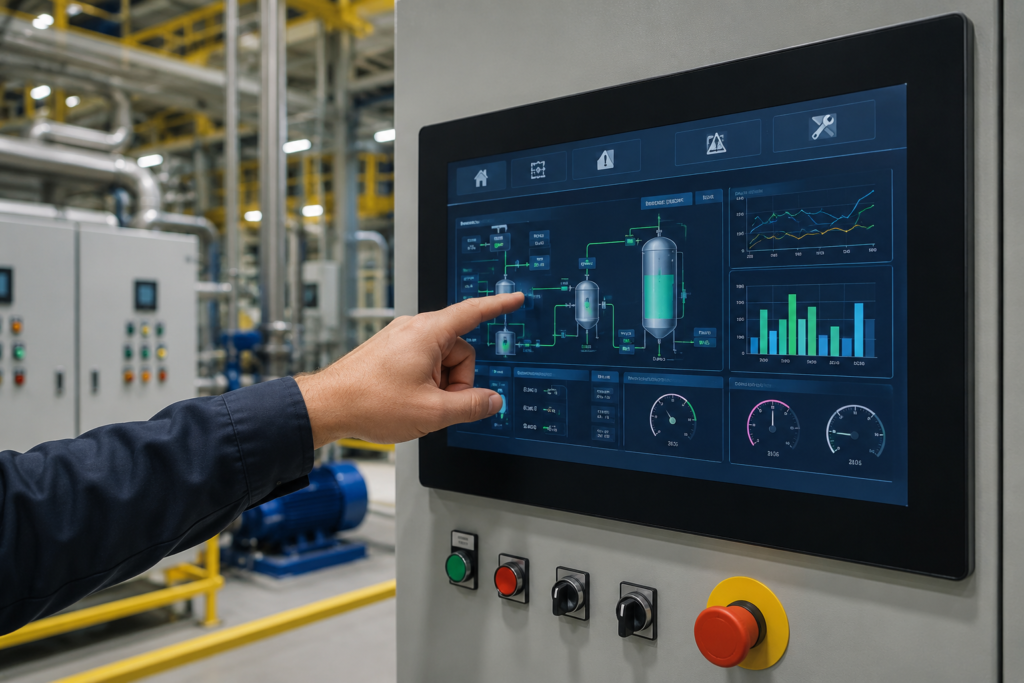
HMI Best Practices play a vital role in every modern industrial automation system. A well-designed Human Machine Interface helps operators understand machine status quickly, respond to alarms faster, and control production with confidence. Good screen design also reduces errors and improves daily operations.
Many factories invest in advanced PLCs, sensors, and automation equipment. Yet they often overlook the importance of the HMI. Even the best control system can become difficult to use if the interface is confusing. Operators may waste time searching for information or press the wrong button during critical situations.
Following HMI Best Practices creates a clear connection between people and machines. Operators can monitor processes without unnecessary effort. Engineers can troubleshoot issues more efficiently. Maintenance teams can identify faults before they lead to expensive downtime. These improvements increase productivity while supporting a safer workplace.
A modern HMI should do more than display values on a screen. It should guide the operator, present information in a logical order, and highlight important events without creating distractions. Every screen should support quick decisions instead of adding complexity.
Industries such as manufacturing, food processing, water treatment, pharmaceuticals, oil and gas, and power generation rely on HMIs every day. In these environments, every second matters. A clean and organized interface helps operators react quickly and maintain stable production.
This guide explains the most important HMI Best Practices for creating effective operator screens. You will learn how professional interface design improves efficiency, reduces human error, and supports reliable industrial automation. Whether you are designing a new HMI project or improving an existing system, these best practices will help you build interfaces that are simple, practical, and easy to use.
What Are HMI Best Practices?
HMI Best Practices are proven design principles that make Human Machine Interface screens easier to understand and operate. These guidelines help engineers organize information, simplify navigation, and present machine data in a way that supports quick decision-making.
An HMI serves as the communication bridge between people and industrial machines. Operators use it to monitor equipment, start or stop processes, acknowledge alarms, adjust settings, and review production information. When the interface follows accepted design practices, these tasks become faster and more accurate.
A professional HMI focuses on clarity instead of decoration. Every button, graph, alarm, and indicator should have a clear purpose. The screen should provide useful information without overwhelming the operator. Simple layouts often perform better than complex designs because they reduce confusion and improve response time.
Effective HMIs also maintain consistency across every screen. Colors, symbols, navigation buttons, and status indicators should remain familiar throughout the project. Consistency allows operators to move between screens without hesitation, especially during unexpected events.
Good HMI design supports more than appearance. It improves productivity, enhances equipment monitoring, reduces training time, and contributes to safer plant operations. These benefits explain why experienced automation engineers consider HMI Best Practices an essential part of every industrial automation project.
In the following sections, you will discover the practical techniques that professionals use to design reliable, user-friendly, and efficient HMI systems for modern industries.
Why HMI Best Practices Matter in Industrial Automation
Industrial automation systems are becoming more advanced every year. Machines now collect thousands of data points, communicate through industrial networks, and perform complex operations with minimal human involvement. In this environment, the role of an HMI becomes more important than ever.
A well-designed HMI does not only display information. It helps operators understand what is happening inside a machine or production line. It presents important data in a simple way and allows users to make accurate decisions without unnecessary delays.
Following HMI Best Practices improves the overall performance of an automation system. When operators can easily understand the information shown on the screen, they can respond quickly to problems and maintain smooth production.
Poor HMI design can create serious challenges. A confusing interface may hide important warnings, display unnecessary information, or make simple tasks difficult. During critical situations, these problems can increase downtime and affect production quality.
A professional HMI design reduces this risk by organizing information according to operator needs. The most important values appear clearly. Critical alarms receive proper attention. Navigation remains simple. Every screen supports the operator instead of creating confusion.
How HMI Best Practices Improve Operator Efficiency
Operator efficiency is one of the biggest advantages of a properly designed HMI system. In industrial environments, operators often manage multiple machines and processes at the same time. They need accurate information without spending extra time searching through complicated screens.
A well-planned HMI allows operators to understand machine conditions within seconds. Important parameters such as temperature, pressure, speed, level, and production status can be viewed immediately. This quick access to information helps operators take better actions.
HMI Best Practices focus on presenting information in a human-friendly way. Instead of showing every available data point, a good interface displays only the information that matters for the current task.
For example, a water treatment plant operator does not need to see every internal PLC value on the main screen. The operator needs clear information about pump status, tank levels, flow rates, and active alarms. Additional technical details can remain available on advanced screens for maintenance teams.
This approach creates a balance between simplicity and functionality. New operators can understand the system faster, while experienced users still have access to detailed information when required.
The Role of Visual Design in HMI Best Practices
Visual design has a major impact on how operators interact with an HMI. The human brain processes visual information quickly, which makes screen organization extremely important.
A professional HMI uses a clean layout where every element has a clear purpose. Objects should not be placed randomly. Buttons, indicators, charts, and controls should follow a logical structure that feels natural to the user.
Colors should also be selected carefully. Many inexperienced designers use too many bright colors, which can make the screen difficult to understand. A better approach is to use colors only when they communicate important information.
For example, normal operating conditions can use simple neutral colors, while abnormal conditions can receive stronger visual attention. This helps operators recognize problems quickly without unnecessary distractions.
The goal of HMI design is not to create an attractive screen. The goal is to create a useful working environment where operators can monitor and control equipment effectively.
HMI Best Practices for Better Alarm Management
Alarm management is one of the most important areas of industrial HMI design. A poorly designed alarm system can overwhelm operators with unnecessary notifications. This situation is often called alarm flooding.
When too many alarms appear at the same time, operators may miss the most important warnings. This can lead to slow responses and potential equipment problems.
Effective HMI Best Practices include designing alarms that provide meaningful information. Each alarm should explain the problem clearly and help the operator understand what action is required.
For example, an alarm message saying "Motor Fault" provides limited information. A better message explains the actual issue, such as "Pump Motor Overload - Check Mechanical Load and Reset Protection."
Clear alarm messages reduce troubleshooting time and help maintenance teams solve problems faster.
Alarm priority is also important. Critical issues should receive more attention than minor notifications. A balanced alarm system improves safety and prevents operators from ignoring important warnings.
Creating Simple and Logical HMI Navigation
Navigation is another key part of effective HMI design. Operators should be able to move between screens without confusion.
A complicated navigation system increases training requirements and slows down daily operations. Professional HMIs usually follow a simple structure where users can easily access overview screens, control pages, alarm history, trends, and settings.
The main screen should provide a complete view of the process. From there, operators should be able to move deeper into specific areas when needed.
Consistent navigation improves user confidence. When every screen follows the same pattern, operators spend less time learning the interface and more time managing the process.
Importance of Data Visualization in HMI Design
Industrial systems generate large amounts of data. However, raw data alone is not always useful. Operators need information that helps them understand trends and make decisions.
Data visualization transforms complex information into meaningful displays. Graphs, trends, indicators, and status views help users identify changes in machine performance.
For example, a temperature trend can show whether a heating process is stable or moving toward an unsafe condition. A production graph can reveal performance changes over time.
Good visualization is a major part of HMI Best Practices because it converts machine data into practical knowledge.
A well-designed HMI does not force operators to analyze complicated numbers. Instead, it presents information in a way that supports faster and smarter decisions.
Improving Safety Through Better HMI Design
Safety is one of the most important goals of industrial automation. A carefully designed HMI can support safer operations by providing clear information and reducing human mistakes.
Operators often work under pressure, especially when equipment problems occur. A confusing interface can increase the chance of incorrect actions.
Following HMI Best Practices helps create safer systems by making important controls easy to understand. Emergency conditions, warnings, and machine states should always be visible and clear.
A good HMI also prevents accidental operations. Critical commands should require proper confirmation when necessary. This reduces the possibility of unwanted machine movements or process interruptions.
Safety-focused HMI design protects equipment, improves operator confidence, and supports reliable production.
HMI Design and Industrial Productivity
Productivity depends on how efficiently people and machines work together. An effective HMI improves this relationship by reducing delays and helping operators maintain stable processes.
When operators understand machine conditions quickly, they can solve problems before they become major failures. This reduces downtime and improves overall equipment performance.
Modern industries use HMI systems as an important part of their digital transformation journey. Along with PLCs, SCADA systems, sensors, and industrial networks, HMIs create smarter and more connected manufacturing environments.
By applying professional HMI Best Practices, companies can achieve better performance, improved reliability, and a stronger automation foundation.
Common HMI Design Mistakes That Engineers Should Avoid
Although modern HMI systems provide powerful monitoring and control capabilities, poor design decisions can reduce their effectiveness. Many problems in industrial environments are not caused by hardware limitations but by incorrect interface planning. A well-designed HMI should support operators, not create additional challenges during daily operations.
One common mistake is displaying too much information on a single screen. Engineers sometimes try to show every available value, sensor reading, and machine parameter at once. While this may seem useful, it can make the interface difficult to understand. Operators need clear and relevant information based on their tasks, not an overwhelming amount of unnecessary data.
A professional HMI should present information in layers. The main screen should provide a simple overview of the complete process, while detailed information should be available through additional screens when required. This approach allows operators to quickly understand system conditions without losing access to advanced details.
Another frequent mistake is inconsistent screen design. When different screens use different layouts, symbols, colors, or navigation methods, operators need extra time to understand each page. Consistency creates familiarity and allows users to work confidently even during stressful situations.
Poor alarm design is also a major issue in many industrial HMI systems. Excessive alarms, unclear messages, and incorrect priorities can reduce the effectiveness of the entire monitoring system. Operators should receive meaningful alerts that explain the problem and provide enough information to take corrective action.
A successful HMI design process always considers the operator's experience. Engineers should understand how users interact with machines, what information they need most often, and which situations require immediate attention. Designing an HMI without considering real operational requirements can lead to unnecessary complexity.
HMI Color Standards and Effective Visual Communication
Colors are an important part of HMI design, but they should be used carefully. The purpose of color in an industrial interface is not decoration. Colors should communicate information quickly and help operators recognize important conditions.
Many inexperienced designers use bright colors throughout the entire interface. When every object has a different color, nothing appears important. A professional HMI uses colors with a clear purpose. Normal operating conditions usually require simple and calm visual representation, while abnormal conditions should receive stronger attention.
For example, an active fault condition should immediately stand out from normal machine operation. Warning conditions, emergency situations, and equipment failures should be visually different so operators can identify problems without wasting time.
Using standard color meanings improves operator understanding. When the same colors represent similar conditions throughout a plant, operators can respond faster because they already understand the visual language of the system.
However, color should never be the only method of communication. Some operators may have difficulty distinguishing certain colors, and screen visibility can change depending on lighting conditions. Important information should also be supported with text messages, symbols, and clear status indicators.
Professional HMI designers focus on creating interfaces that remain understandable in different environments. Whether an operator is working in a control room or near industrial equipment, the information should remain clear and easy to interpret.
HMI Screen Hierarchy and Information Organization
A strong screen hierarchy is one of the most important elements of successful HMI development. The arrangement of screens should follow the natural workflow of the operator.
The first screen an operator sees should provide an overall understanding of the system. It should display the current status of major equipment, important production information, and any critical conditions that require attention.
From the overview screen, users should be able to access detailed process screens. These screens may include individual machine sections, motor controls, sensor information, production trends, and maintenance data.
This structured approach prevents confusion and improves navigation speed. Operators do not need to search through multiple pages to find important information. Everything is organized according to operational requirements.
A good HMI design also separates different types of information. Control functions, monitoring information, alarms, trends, and configuration settings should have clear locations. This separation creates a more professional and efficient working environment.
The goal of screen hierarchy is to reduce mental workload. Operators should spend their time managing the process instead of trying to understand the interface.
HMI Best Practices for Siemens WinCC Systems
Siemens WinCC is widely used in industrial automation projects because it provides powerful visualization features for PLC and SCADA applications. When designing WinCC-based HMI systems, following professional design practices improves performance and usability.
A well-designed Siemens HMI should maintain a clear connection between PLC logic and operator screens. Tags, alarms, graphics, and controls should be properly organized to make troubleshooting easier.
Engineers should create reusable screen templates whenever possible. Standardized templates reduce development time and ensure that different projects maintain the same professional appearance.
Performance optimization is also important. Large numbers of unnecessary graphics, animations, and complex scripts can slow down HMI operation. A clean design improves response time and provides a smoother experience for operators.
Modern Siemens HMI solutions support advanced features such as trends, recipes, user management, and remote monitoring. These features should be implemented according to actual operational needs rather than adding unnecessary complexity.
The Relationship Between HMI and SCADA Systems
HMI and SCADA systems often work together in industrial automation environments, but they perform different roles. Understanding this difference helps engineers design better control systems.
An HMI mainly focuses on interaction between the operator and a machine or process. It allows users to monitor conditions, control equipment, adjust settings, and respond to alarms.
SCADA systems provide broader monitoring and supervisory capabilities. They collect data from multiple machines, store historical information, generate reports, and support large-scale industrial operations.
In many modern facilities, HMI systems are connected with SCADA platforms to create complete automation solutions. The HMI provides local control, while SCADA manages overall system visibility and data analysis.
A properly designed automation architecture uses both technologies effectively. Together, HMI and SCADA improve operational efficiency, reduce downtime, and support better decision-making.
Mobile and Remote HMI Monitoring in Modern Industry
Industrial automation is continuously evolving with the growth of Industry 4.0 technologies. Remote monitoring has become an important requirement for many organizations because engineers and supervisors need access to machine information from different locations.
Modern HMI systems can connect with mobile devices, web platforms, and cloud-based solutions. This allows authorized users to monitor production conditions, review alarms, and analyze performance without being physically present near the machine.
Remote access improves maintenance efficiency because engineers can identify problems faster. Instead of waiting for someone to inspect equipment manually, technical teams can review system information remotely and prepare the correct response.
Security is an essential part of remote HMI implementation. Proper authentication, network protection, and access control should always be applied to prevent unauthorized system access.
When designed correctly, remote HMI monitoring creates more flexible and efficient industrial operations while supporting modern digital manufacturing goals.
Future of HMI Design in Industry 4.0
The future of HMI technology is closely connected with artificial intelligence, advanced analytics, and smart manufacturing. Traditional interfaces are evolving into intelligent systems that provide more meaningful information to operators.
Modern HMIs are becoming more predictive instead of simply displaying current conditions. By using collected machine data, advanced systems can help identify possible failures before they happen.
Artificial intelligence can support operators by analyzing trends, detecting unusual behavior, and providing recommendations. This reduces troubleshooting time and improves equipment reliability.
Touchscreen technology, voice interaction, augmented reality, and cloud connectivity are also influencing the next generation of HMI systems. These technologies aim to make industrial control more intuitive and efficient.
However, the fundamental principles of good HMI design remain the same. Simplicity, clarity, consistency, and operator-focused thinking will always be essential for creating successful interfaces.
As industries continue adopting smart automation solutions, HMI systems will play an even greater role in connecting people with intelligent machines.
Frequently Asked Questions About HMI Best Practices
Why are HMI Best Practices important in industrial automation?
HMI Best Practices help engineers create interfaces that are easier to understand, safer to operate, and more efficient for daily industrial processes. They reduce operator errors and improve response time during critical situations.
What makes a good HMI design?
A good HMI design provides clear information, simple navigation, effective alarm management, consistent layouts, and easy access to important machine data. It focuses on operator needs rather than unnecessary visual complexity.
How does HMI improve industrial safety?
A properly designed HMI improves safety by showing important warnings clearly, preventing incorrect operations, and helping operators make better decisions during equipment problems.
What is the difference between HMI and SCADA?
HMI provides direct interaction between operators and machines, while SCADA focuses on supervisory monitoring, data collection, and large-scale system management.
Which industries use HMI systems?
HMI systems are used in manufacturing, automotive, food processing, pharmaceuticals, water treatment, oil and gas, energy, and many other industrial sectors.
Can HMI systems support Industry 4.0?
Yes, modern HMI systems support Industry 4.0 through connectivity, data visualization, remote monitoring, analytics, and integration with smart automation technologies.
Conclusion
HMI Best Practices are essential for creating reliable and efficient industrial automation systems. A well-designed Human Machine Interface improves communication between operators and machines by presenting information clearly and supporting faster decisions.
The success of an HMI system depends on more than advanced technology. Proper screen organization, effective alarm management, logical navigation, and thoughtful visual design are necessary to create an interface that operators can trust.
As industrial systems continue becoming more connected and intelligent, the importance of professional HMI design will continue to grow. Companies that invest in user-friendly and efficient interfaces can achieve better productivity, improved safety, and more reliable operations.
A modern HMI should not simply display machine data. It should transform complex industrial information into meaningful knowledge that helps people operate equipment confidently. By applying proven HMI Best Practices, engineers can build automation systems that are easier to manage, safer to operate, and prepared for the future of smart industry.