PLC Inputs and Outputs are the foundation of every programmable logic controller system used in industrial automation. Whether you are a beginner, student, or automation engineer, understanding PLC Inputs and Outputs is essential before learning ladder logic or PLC programming. A PLC receives signals from input devices, processes the information according to the program, and sends commands to output devices. This process allows machines to operate safely, accurately, and automatically. In this guide, you will learn how PLC inputs and outputs work, their different types, and why they are important in modern industries.
What Are PLC Inputs and Outputs?
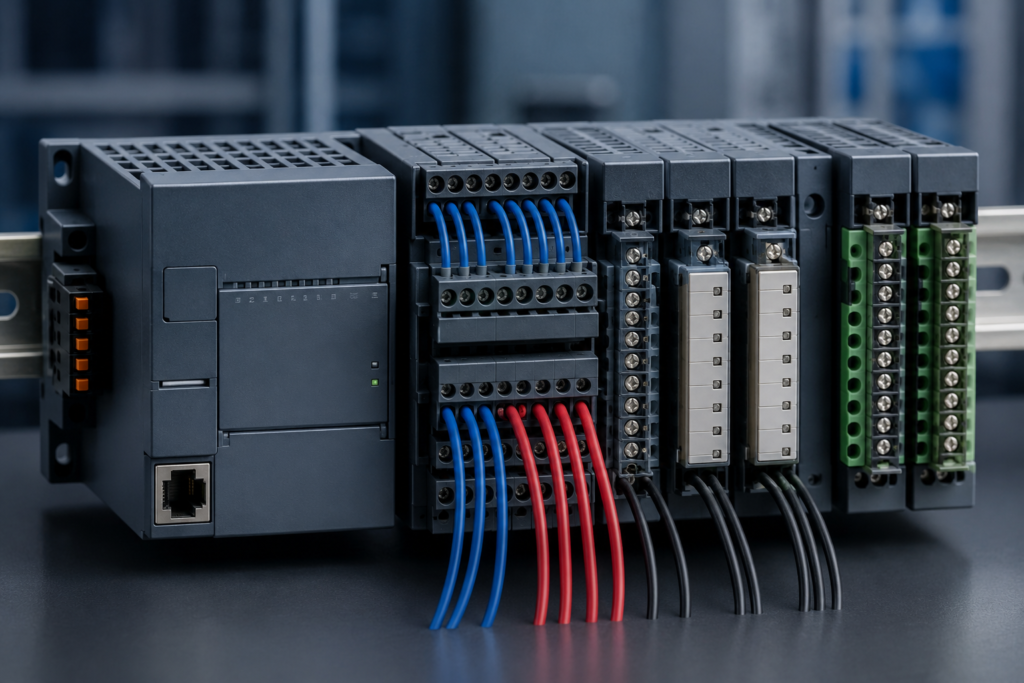
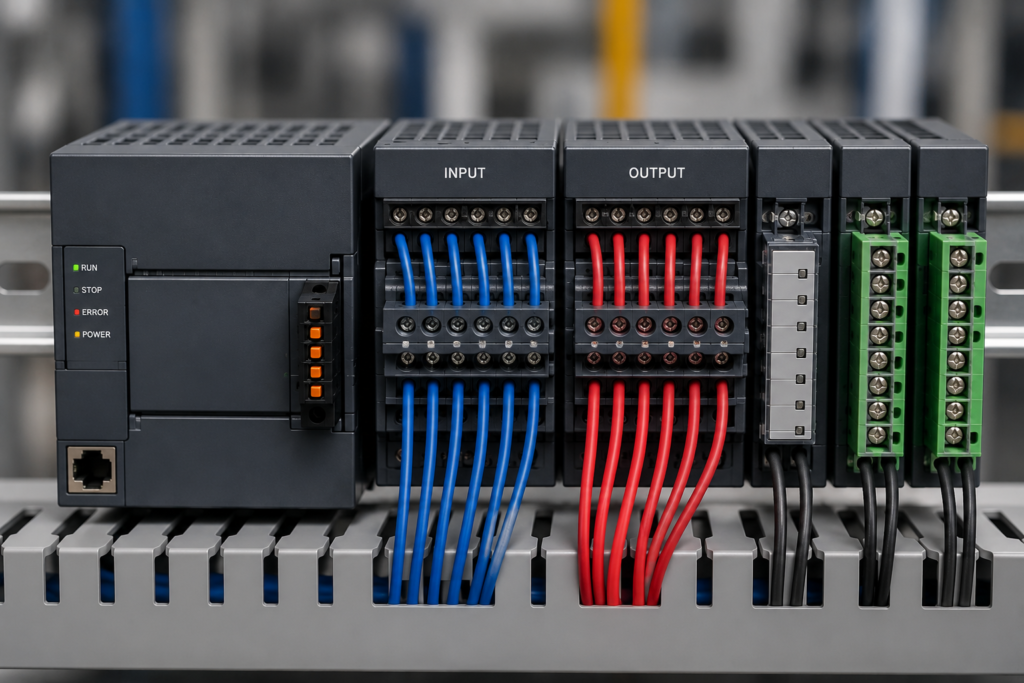
PLC Inputs and Outputs refer to the communication link between a programmable logic controller and the physical equipment connected to it. Inputs collect information from sensors and switches, while outputs send commands to machines and actuators.
For example, when an operator presses a start push button, the PLC receives that signal through an input channel. After processing the program, the PLC activates an output to start a motor or another connected device.
This continuous exchange of information allows factories to automate production with greater speed, accuracy, and reliability.
What Are PLC Inputs?
PLC inputs are devices that send information to the controller. These devices continuously monitor conditions in the system and provide real-time data that the PLC uses to make decisions.
Common PLC input devices include:
Each input sends either a digital or analog signal depending on the application. The PLC reads these signals during every scan cycle and determines the correct action based on the programmed logic.
Why Are PLC Inputs Important?
PLC inputs provide the controller with accurate information from the production process. Without reliable inputs, the PLC cannot determine when to start, stop, or adjust equipment.
Some important benefits include:
Reliable input devices help industries maintain consistent product quality while reducing operational errors.
Types of PLC Inputs
PLC systems generally support two major input categories.
Digital Inputs
Digital inputs have only two possible states: ON or OFF. These inputs are commonly connected to push buttons, switches, and proximity sensors.
Examples include:
Digital inputs are simple, reliable, and widely used in industrial automation.
Analog Inputs
Analog inputs measure continuously changing values instead of simple ON/OFF signals.
Typical analog input devices include:
These devices send variable electrical signals that allow the PLC to monitor precise operating conditions and improve process control.
What Are PLC Outputs?
After the PLC processes the input signals, it sends commands to output devices. Therefore, PLC outputs perform the actions that control machines and equipment. Without outputs, the PLC cannot operate motors, valves, alarms, or other industrial devices.
Some common PLC output devices include:
For example, when a sensor detects a product on a conveyor belt, the PLC receives the input signal. It then activates the output to start the conveyor motor. As a result, the product moves automatically without manual control.
Types of PLC Outputs
Like inputs, PLC outputs are divided into two main categories.
Digital Outputs
Digital outputs have only two states: ON or OFF. They are simple, reliable, and widely used in industrial automation.
Examples include:
Digital outputs are suitable for devices that only need two operating conditions.
Analog Outputs
Analog outputs produce continuously changing values instead of simple ON or OFF signals. Therefore, they are useful when accurate control is required.
Examples include:
Because analog outputs provide precise control, they are common in advanced automation systems.
How PLC Inputs and Outputs Work Together
PLC Inputs and Outputs work as one complete control system. First, an input device sends information to the PLC. Next, the PLC program processes that information. Finally, the PLC activates one or more output devices.
For example:
This entire process usually takes only a few milliseconds. Therefore, PLC systems can control machines quickly and accurately.
Real-World Applications of PLC Inputs and Outputs
PLC Inputs and Outputs are used in many industries. They improve productivity, reduce manual work, and increase safety.
Common applications include:
For instance, a packaging machine uses photoelectric sensors as inputs. The PLC receives the sensor signals and then controls motors and pneumatic cylinders through its outputs. As a result, products move smoothly through every stage of production.
Common Mistakes Beginners Make
Many beginners face similar problems while learning PLC systems. However, these mistakes are easy to avoid.
Some common mistakes include:
Therefore, always verify wiring connections and review the PLC program before starting any machine.
Conclusion
Understanding PLC Inputs and Outputs is one of the most important steps in learning industrial automation. Inputs collect information from sensors and switches, while outputs control motors, valves, alarms, and other equipment. Together, they allow PLC systems to monitor conditions and perform automatic actions with speed and accuracy.
Whether you are studying PLC programming or working in industrial automation, mastering PLC Inputs and Outputs will help you build a strong technical foundation. In addition, this knowledge makes it easier to understand ladder logic, PLC wiring, and advanced control systems. Continue practicing with real examples, and you will gain confidence in designing reliable automation projects.
Frequently Asked Questions
What are PLC Inputs and Outputs?
PLC Inputs and Outputs are the communication channels between a PLC and field devices. Inputs receive signals from sensors, while outputs control machines and actuators.
What is the difference between digital and analog inputs?
Digital inputs have only ON or OFF states. In contrast, analog inputs measure changing values such as temperature, pressure, or flow.
Why are PLC outputs important?
PLC outputs allow the controller to operate industrial equipment automatically. Therefore, they play a key role in machine control and process automation.
Can one PLC control multiple inputs and outputs?
Yes. Modern PLC systems can manage many input and output channels at the same time. However, the number depends on the PLC model and available expansion modules.
Best Practices for Using PLC Inputs and Outputs
Learning PLC Inputs and Outputs is only the first step. However, using them correctly is equally important. Good installation and proper programming improve system performance, reduce downtime, and increase safety. Therefore, every automation technician should follow industry best practices while working with PLC systems.
Always select input and output devices that match the PLC specifications. Check the voltage, current rating, and signal type before connecting any device. In addition, use high-quality cables and secure wiring connections to prevent signal loss or electrical faults.
Another important practice is to label every wire and terminal. Clear labeling makes troubleshooting much easier and saves valuable maintenance time. Furthermore, organize cables properly inside the control panel to improve airflow and simplify future upgrades.
Troubleshooting Common PLC Input and Output Problems
Even a well-designed automation system can experience problems. Therefore, knowing how to troubleshoot PLC Inputs and Outputs helps reduce machine downtime.
If an input device is not responding, first check the power supply. Next, inspect the wiring connections and verify that the sensor is working correctly. After that, monitor the input status inside the PLC software to confirm whether the signal reaches the controller.
If an output device fails to operate, check the PLC output indicator first. If the output LED is active but the device does not run, inspect the relay, contactor, fuse, or wiring. In many cases, the problem is outside the PLC rather than inside the controller.
Regular maintenance also prevents unexpected failures. Therefore, inspect control panels, clean dust from electrical cabinets, and tighten loose terminals during scheduled maintenance.
Safety Tips for PLC Inputs and Outputs
Safety should always be the highest priority in every industrial automation project. Before installing or replacing any input or output device, disconnect the electrical supply and follow proper lockout and tagout procedures.
Always use sensors and output devices that meet the manufacturer's specifications. In addition, avoid overloading PLC output channels because excessive current can damage the controller.
When testing automation equipment, wear appropriate personal protective equipment (PPE). Furthermore, verify emergency stop circuits before operating any machine. These simple precautions reduce risks and protect both equipment and personnel.
How PLC Inputs and Outputs Improve Industrial Automation
Modern factories depend on PLC Inputs and Outputs to improve productivity and maintain consistent product quality. Because PLC systems respond within milliseconds, they perform repetitive tasks much faster than manual operation.
For example, sensors detect product movement on a conveyor belt. The PLC immediately processes the signal and activates motors, cylinders, or robotic arms. As a result, production becomes faster, more accurate, and more reliable.
In addition, PLC systems reduce human error. They also improve workplace safety by monitoring emergency conditions and stopping equipment automatically when required. Therefore, industries such as manufacturing, food processing, water treatment, and pharmaceuticals rely heavily on PLC automation every day.
Final Thoughts
Understanding PLC Inputs and Outputs provides a strong foundation for anyone entering the field of industrial automation. Inputs collect information from the real world, while outputs allow the PLC to control machines safely and efficiently. Together, they form the core of every automated control system.
As you continue learning PLC programming, practice working with different sensors, switches, relays, and actuators. In addition, spend time using PLC simulation software before connecting real hardware. Practical experience improves confidence and develops valuable troubleshooting skills.
Finally, keep learning advanced topics such as ladder logic, PLC communication protocols, analog signal processing, and HMI integration. Step by step, these skills will help you build reliable automation systems and prepare for real industrial projects.
Practical Tips for Beginners
Learning PLC Inputs and Outputs becomes much easier when you practice with real examples instead of only reading theory. Therefore, start with simple automation tasks before moving to advanced projects. For example, create a program that turns a light ON when a push button is pressed. After that, modify the program to control a motor or an alarm. These small projects help you understand how inputs and outputs interact during every PLC scan cycle.
In addition, use PLC simulation software whenever possible. Simulation allows you to test ladder logic without connecting physical hardware. As a result, you can identify programming mistakes early and improve your troubleshooting skills. Once your program works correctly in the simulator, you can confidently test it on an actual PLC.
Another useful habit is to study electrical wiring diagrams. Understanding wiring helps you connect sensors, switches, relays, and actuators correctly. Furthermore, always compare the wiring diagram with the PLC input and output addresses before applying power to the system.
Choosing the Right PLC Input and Output Modules
Selecting suitable PLC Inputs and Outputs depends on the application requirements. Therefore, consider the number of devices, signal types, voltage ratings, and future expansion before purchasing a PLC.
For small automation projects, a compact PLC with built-in inputs and outputs is usually enough. However, larger industrial systems often require additional I/O expansion modules to support more sensors and actuators.
It is also important to choose between digital and analog modules based on the equipment you plan to control. Digital modules are ideal for simple ON and OFF operations. In contrast, analog modules are designed for applications that require continuous measurement or precise control.
Finally, leave extra input and output channels for future upgrades. This approach makes system expansion easier and reduces installation costs later.
Why Understanding PLC Inputs and Outputs Matters
A strong understanding of PLC Inputs and Outputs improves both programming and troubleshooting skills. Every industrial automation system depends on accurate communication between field devices and the controller. Therefore, knowing how input signals are processed and how output devices respond helps engineers solve problems faster.
As industrial technology continues to grow, PLC knowledge remains valuable across many industries. Manufacturing plants, energy facilities, food processing units, water treatment systems, and packaging lines all rely on PLC-based automation. Because of this, learning PLC inputs and outputs provides an excellent foundation for advanced topics such as HMI design, SCADA systems, industrial networking, and motion control.
Keep practicing, explore new automation projects, and continue improving your technical skills. With regular learning and hands-on experience, you will become more confident in designing reliable and efficient PLC automation systems.

Pingback: PLC Panel Cooling: Guide to Industrial Control Panel Cooling
Pingback: VFD Parameter Settings: Setup Guide for Better Performance