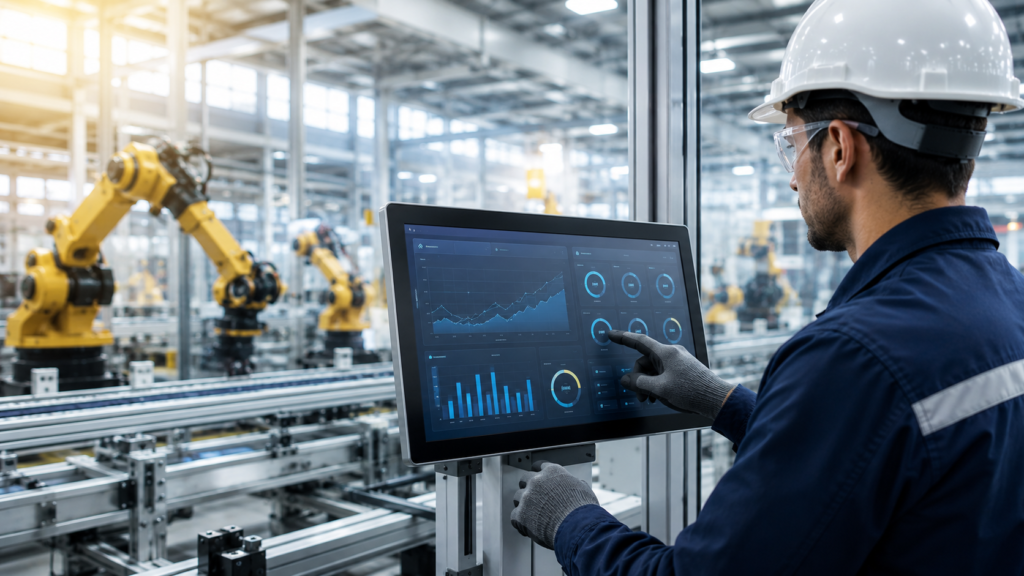
What Is HMI? It is one of the most searched questions in industrial automation. HMI stands for Human Machine Interface. It allows people to communicate with machines through a visual screen. Operators can monitor equipment, control processes, and view important data from one display. As a result, HMI makes machine operation easier and faster.
Today, many factories use HMI systems. They help operators control machines with confidence. Instead of checking several control panels, users can see everything on one screen. They can also respond quickly when alarms appear. Therefore, HMI improves safety, productivity, and efficiency.
HMI systems are common in manufacturing, food processing, power plants, water treatment, and many other industries. They display live information such as temperature, pressure, motor status, and production speed. Consequently, operators make faster and better decisions.
In this guide, you will learn What Is HMI, how it works, where it is used, and why it is important. You will also understand its components, benefits, and role in industrial automation.
What Is HMI and Why Is It Important?
Understanding What Is HMI helps you understand modern automation. An HMI connects people with industrial machines. It shows machine data in a clear and simple format. At the same time, it allows operators to send commands through the touchscreen.
For example, think about a bottle filling machine. Without an HMI, operators must check different control panels. They also need to read many indicator lights. This process takes time and increases the chance of mistakes.
However, an HMI displays all important information on one screen. Operators can view production speed, alarm messages, motor status, and process values in real time. Therefore, they solve problems much faster.
HMI also improves decision-making. Operators no longer guess what is happening inside the machine. They can see live data instantly. As a result, downtime decreases and productivity increases.
Modern factories connect HMI with PLCs, sensors, drives, and SCADA systems. This connection creates a central control point for the entire process. Consequently, companies improve product quality and reduce operating costs.
How Does HMI Work?
After learning what is HMI, the next step is to understand how it works. An HMI does not control a machine by itself. Instead, it works with a PLC or another industrial controller. The PLC collects data from sensors and field devices. Then, it sends that data to the HMI. The HMI displays the information in a clear and simple way.
An operator can view machine status on the screen. If the machine needs a command, the operator can touch a button on the HMI. The HMI sends that command to the PLC. Next, the PLC processes the command and controls the machine. This process happens in real time. As a result, operators can monitor and control the system without opening electrical panels.
For example, imagine a conveyor system in a factory. The PLC checks the speed of the conveyor and reads signals from sensors. The HMI shows the conveyor speed, motor status, and alarm messages. If the operator wants to stop the conveyor, a single touch on the screen sends the command to the PLC. The PLC then stops the motor safely.
This simple communication helps factories reduce mistakes. It also saves time and improves production.
Main Components of HMI
To understand what is HMI, you should also know its main components. Every HMI system includes hardware and software. These parts work together to create a simple and reliable user interface.
The display screen is the most visible part of an HMI. It shows machine data, alarms, and process values. Most modern HMIs use color touchscreens. These displays make navigation easy. They also help operators understand the process quickly.
The processor is another important part. It runs the HMI software and manages communication with the PLC. A fast processor keeps the screen responsive. It also updates data without delay.
Communication ports connect the HMI to other devices. Many systems use Ethernet, Profinet, Modbus, or EtherNet/IP. These connections allow the HMI to exchange data with controllers and other automation equipment.
The HMI software creates the graphics that appear on the screen. It displays buttons, indicators, trend graphs, alarms, and process values. It also stores settings and user preferences. Therefore, operators can control the system through a simple visual interface.
Many modern HMIs also include memory for data logging. This feature stores production history and alarm records. Maintenance teams can review this information later. As a result, they can find problems faster and improve machine performance.
Types of HMI
Different industries use different types of HMI systems. The best choice depends on the application, the production process, and the operating environment.
The most common type is the panel HMI. This device is installed on a control cabinet or machine. It provides a touchscreen for local operation. Many factories use panel HMIs because they are reliable and easy to use.
A web-based HMI works through a web browser. Operators can monitor equipment from a computer, tablet, or mobile device. This option gives more flexibility. It also supports remote monitoring.
Some industries use mobile HMIs. These systems run on smartphones or tablets. Maintenance engineers can check machine status while moving around the factory. This approach saves time and improves response speed.
High-performance HMIs support advanced graphics and detailed process information. They are common in large plants with complex automation systems. These HMIs often work with SCADA platforms and central control rooms.
No matter which type you choose, the main goal stays the same. Every HMI helps people interact with machines in a safe, simple, and efficient way.
Benefits of HMI in Industrial Automation
After learning what is HMI, it is important to understand its benefits. An HMI does much more than display machine data. It helps people work faster and make better decisions. It also improves safety and keeps production running smoothly.
One major benefit is better visibility. Operators can see live machine data on one screen. They do not need to check many control panels. This saves time and reduces confusion.
HMI also improves productivity. Operators can start or stop machines with a few touches. They can change settings quickly. As a result, production continues with fewer delays.
Another benefit is faster problem detection. The HMI shows alarms as soon as a fault appears. Operators can react immediately. Therefore, they reduce downtime and prevent larger problems.
HMI also supports better maintenance. Engineers can view alarm history and machine status. This information helps them find the cause of a fault. As a result, repairs become faster and more accurate.
Safety is another important advantage. Operators can monitor dangerous equipment from a safe location. They do not need to stand close to moving machines during normal operation. This creates a safer workplace.
Modern HMI systems also improve data accuracy. They display real-time values from sensors and controllers. Operators no longer depend on manual readings. Consequently, they make better decisions based on current information.
Finally, HMI improves communication between people and machines. The interface is simple to understand. Even new operators can learn it quickly. This reduces training time and improves daily operations.
Where Is HMI Used?
Many industries use HMI every day. It has become an important part of modern automation. Almost every automated process uses an HMI to monitor and control equipment.
Manufacturing plants use HMI to control production lines. Operators can monitor motors, conveyors, robots, and packaging machines from one screen. This makes production easier to manage.
Food and beverage factories also depend on HMI. Operators monitor mixing, filling, and packaging processes. They also check temperature and production speed. This helps maintain product quality.
Water treatment plants use HMI to monitor pumps, valves, and water levels. Operators can react quickly if a problem occurs. This keeps the system running safely.
Power plants also use HMI. Engineers monitor generators, turbines, and electrical equipment. They can view system conditions in real time. This improves reliability and reduces risks.
Oil and gas facilities use HMI to monitor pressure, flow, and temperature. These values change throughout the day. Therefore, operators need accurate information at all times.
Pharmaceutical companies also use HMI. They monitor production equipment and process values. This helps maintain quality standards and supports safe manufacturing.
Warehouses and logistics centers use HMI to control conveyors and sorting systems. Operators can monitor material movement without walking across the facility. This improves efficiency and saves time.
HMI and PLC: How They Work Together
Many beginners ask how HMI and PLC work together. The answer is simple. They have different jobs, but they work as one system.
The PLC controls the machine. It receives signals from sensors and makes control decisions. It starts motors, opens valves, and controls industrial equipment.
The HMI does not replace the PLC. Instead, it displays information from the PLC. It also allows operators to send commands through the touchscreen.
For example, an operator presses the Start button on the HMI. The HMI sends the command to the PLC. The PLC checks the program. If all safety conditions are correct, it starts the machine.
The PLC then sends updated data back to the HMI. The screen shows the machine status, running speed, and other important values. This communication continues every second.
Together, HMI and PLC create a reliable automation system. The PLC performs the control tasks. The HMI provides a simple interface for people. This combination improves efficiency, safety, and machine performance.
Why Learning What Is HMI Matters
Learning what is HMI gives you a strong foundation in industrial automation. Almost every modern factory uses HMI technology. Therefore, this knowledge is valuable for students, technicians, and automation engineers.
HMI skills also improve career opportunities. Many employers look for professionals who understand industrial control systems. Even a basic understanding of HMI can help you work with PLCs, SCADA systems, and smart manufacturing technologies.
As automation continues to grow, HMI will become even more important. New systems now support remote access, cloud monitoring, and Industrial Internet of Things (IIoT) platforms. Because of these advances, learning HMI today prepares you for the future of industrial automation.
Common Features of Modern HMI Systems
Modern HMI systems offer many useful features. These features make industrial machines easier to operate. They also improve safety, accuracy, and productivity.
One common feature is real-time monitoring. The HMI shows live data from the PLC and field devices. Operators can check machine status at any time. They do not need to wait for manual reports. This helps them make faster decisions.
Another important feature is alarm management. The HMI displays alarms as soon as a fault occurs. Operators can see the problem immediately. They can also acknowledge the alarm after checking the machine. This reduces downtime and helps prevent damage.
Most HMI systems also support data logging. They store process values, alarms, and production records. Engineers can review this information later. It helps them identify trends and improve machine performance.
Many HMIs include trend graphs. These graphs show changes in temperature, pressure, speed, or other process values over time. Operators can compare current data with previous results. This makes it easier to detect unusual conditions.
Modern HMIs also provide user access control. Different users receive different permissions. For example, an operator may only start or stop a machine. However, an engineer may change system settings. This improves security and protects important process data.
Another useful feature is recipe management. Many factories produce different products on the same machine. Operators can save production settings as recipes. When production changes, they simply load the correct recipe. This saves time and reduces setup errors.
Some HMI systems also support remote monitoring. Engineers can check machine status from another office or a secure remote location. This feature helps companies respond quickly to unexpected problems.
Common Applications of HMI
HMI technology supports many industrial processes. It works in both small machines and large production plants. Because of its flexibility, many industries depend on HMI every day.
Packaging machines use HMI to control filling, labeling, sealing, and counting operations. Operators can adjust production speed and monitor machine performance from one screen.
Conveyor systems also use HMI. Operators can start or stop conveyors, check motor status, and monitor product flow. This helps improve material handling throughout the factory.
Automotive factories use HMI every day. Operators watch robotic systems from one screen. They check machine status in real time. They also respond to problems quickly. As a result, production stays smooth and delays become less common.
Power plants also use HMI systems. Engineers watch important equipment from one screen. They check generators, turbines, and other machines. They can spot problems early. This helps keep the plant running safely.
Pharmaceutical companies also use HMI. Operators watch every production step on the screen. They check process values in real time. They make quick changes when needed. This helps produce safe and high-quality products.
Best Practices for Using HMI
A well-designed HMI improves both safety and productivity. However, good design requires careful planning. Following best practices helps operators work more efficiently.
The interface should remain simple. Operators should find important information quickly. A clean screen reduces confusion and improves response time.
Colors should have a clear purpose. Bright colors should highlight alarms or warnings. Normal operating conditions should use calm and consistent colors. This makes critical events easy to recognize.
Screen layouts should remain consistent across the system. Buttons, menus, and navigation should appear in similar locations. Operators learn the interface faster when every screen follows the same design.
Keep important process values easy to see. Operators should find key information without opening several screens. Quick access saves time. It also helps them react faster during normal operation and emergencies.
Regular software updates keep the HMI system working well. They fix known problems and improve overall performance. New updates also add useful features. In addition, they help protect the system from security risks.
Operator training is also important. Every user should know how to use the HMI correctly. Good training helps people avoid mistakes. It also builds confidence during daily work.
Regular backups are another good practice. They protect important HMI project files. If hardware fails or software becomes damaged, backup files help restore the system quickly. This reduces downtime and saves valuable time.
Future of HMI in Industrial Automation
The future of What Is HMI looks exciting. New technology is changing the way factories work. Modern HMI systems are becoming smarter every year.
Many HMI systems now connect to the cloud. Engineers can check machine data from different locations. They do not need to stay near the machine. This saves time and helps teams respond faster.
What Is HMI in the future? It will become more intelligent. Some HMI systems may study machine data. They may also suggest simple actions before a problem becomes serious. This helps reduce downtime and improves daily work.
The Industrial Internet of Things (IIoT) is also growing. Machines, sensors, and PLCs can now share data with each other. The HMI collects this information and shows it on one screen. Operators can understand the process more quickly.
Security is another important part of What Is HMI. Modern factories connect many devices to the network. Because of this, companies need better protection. New HMI systems include stronger security and safer user access.
Industry 4.0 is growing around the world. Because of this, What Is HMI will become even more important. It will help people monitor machines, control processes, and improve factory performance.
Common HMI Challenges and Simple Solutions
Learning What Is HMI is important. However, you should also know the common challenges. Every HMI system may face problems over time. The good news is that most issues have simple solutions.
A slow touchscreen is a common problem. The screen may respond late after a touch. Old software, low memory, or too much background data can cause this issue. Regular updates and proper maintenance help keep the HMI fast.
Communication errors can also happen. Sometimes the HMI cannot receive data from the PLC. This usually happens because of a damaged cable, a network problem, or incorrect settings. Engineers should check the connection first. They should also verify the communication parameters.
Display problems may appear after long use. The screen may become dim or difficult to read. In some cases, dust or heat affects the display. Cleaning the screen and checking the operating environment often solves the problem.
Another challenge is user error. Operators may enter the wrong value or press the wrong button. Good HMI design helps reduce these mistakes. Clear labels and simple navigation make the system easier to use.
Security is another concern. Many modern factories connect HMI systems to industrial networks. Strong passwords and regular software updates help protect important data. User access levels also improve system security.
Regular maintenance prevents many of these problems. A well-maintained HMI works better and lasts longer. It also reduces unexpected downtime.
How to Choose the Right HMI
Choosing the right HMI depends on your application. Every factory has different needs. Therefore, you should compare several features before making a decision.
Screen size is an important factor. Small machines often need compact displays. Large production lines usually require bigger screens. A clear display helps operators read information quickly.
The operating environment also matters. Some factories have high temperatures. Others have dust, moisture, or vibration. Choose an HMI that matches these conditions.
Communication support is another key point. Make sure the HMI works with your PLC. It should support the communication protocol used in your automation system.
The software should also be easy to use. A simple interface reduces training time. It also helps operators work with confidence.
Future expansion is important as well. Many companies add new machines over time. A flexible HMI makes future upgrades much easier.
Finally, choose a trusted industrial solution that offers long-term support and regular software updates. Good support saves time when technical problems occur.
What Is HMI vs SCADA
Many beginners compare HMI and SCADA. They look similar, but they have different roles. Knowing this difference helps you understand What Is HMI more clearly.
An HMI lets an operator interact with one machine or one production line. It shows live data on the screen. It also allows the operator to start, stop, or adjust the machine.
SCADA works on a larger scale. It collects data from many PLCs and HMI systems across an entire plant. It stores data, creates reports, and helps engineers monitor several processes from one control room.
For example, a packaging machine may use one HMI. However, a large factory may use one SCADA system to monitor every production line.
In simple words, HMI controls and monitors a local machine. SCADA manages and monitors many machines together.
Common Mistakes to Avoid When Using HMI
Learning What Is HMI also means learning how to use it correctly. Small mistakes can reduce safety and productivity.
Many companies place too much information on one screen. This makes the display difficult to read. A clean screen helps operators work faster.
Some factories ignore software updates. Old software may contain bugs or security problems. Regular updates improve performance and reliability.
Poor user training is another common issue. Operators should understand every important function before using the system. Good training reduces mistakes and increases confidence.
Weak passwords also create security risks. Every HMI should use strong passwords and proper user permissions. This protects important industrial data.
Finally, companies should back up HMI projects often. A recent backup saves time if the system needs recovery.
Frequently Asked Questions (FAQs)
What Is HMI?
What Is HMI? HMI stands for Human Machine Interface. It allows people to communicate with industrial machines through a touchscreen or display. Operators can monitor machine status, view live data, and control equipment from one screen.
What Is HMI Used For?
HMI is used to monitor and control industrial processes. It displays real-time information, shows alarms, and allows operators to start, stop, or adjust machines. As a result, factories improve productivity and reduce downtime.
Can an HMI Work Without a PLC?
Yes, some HMI systems can display information without a PLC. However, most industrial HMI systems work with a PLC. The PLC controls the machine, while the HMI provides a simple interface for the operator.
What Is the Difference Between HMI and PLC?
A PLC controls the machine by running the control program. An HMI does not control the process directly. Instead, it shows machine data and allows the operator to send commands to the PLC.
What Is the Difference Between HMI and SCADA?
An HMI usually controls or monitors one machine or one production line. SCADA monitors many machines across a factory. It also stores data, creates reports, and supports central monitoring.
Which Industries Use HMI?
Many industries use HMI every day. Common examples include manufacturing, food processing, water treatment, pharmaceuticals, oil and gas, power generation, packaging, and automotive production.
Is HMI Easy to Learn?
Yes. Most beginners can learn HMI with basic PLC knowledge. Modern HMI software uses simple graphics and touch controls. Regular practice helps users build confidence and improve their skills.
Why Is HMI Important in Industrial Automation?
HMI makes industrial automation easier to understand and operate. It helps operators monitor machines, reduce errors, improve safety, and respond quickly to alarms. Therefore, it plays an important role in modern factories.
Which Software Is Commonly Used for HMI?
Many companies use software such as Siemens WinCC, FactoryTalk View, Ignition, CODESYS Visualization, and Schneider EcoStruxure Operator Terminal Expert. The best choice depends on the automation system and project requirements.
What Is the Future of HMI?
The future of What Is HMI is closely linked with smart manufacturing. New HMI systems support cloud connectivity, remote monitoring, IIoT, and artificial intelligence. These technologies help companies improve efficiency, reduce downtime, and make better decisions.
Conclusion
What Is HMI? It is a Human Machine Interface that allows people to communicate with industrial machines through a simple visual screen. It works closely with PLCs to display real-time data and accept operator commands. This makes industrial processes easier to monitor and control.
Modern factories depend on HMI because it improves safety, accuracy, and efficiency. It also helps reduce downtime and supports faster decision-making. As automation continues to expand, HMI will play an even bigger role in smart manufacturing.
Whether you are a student, technician, or automation engineer, understanding What Is HMI will help you build valuable technical skills. It is one of the most important technologies in today's industrial world and will continue to shape the future of automation.