
Table of Contents
ToggleIntroduction
Siemens PLC HMI is an important concept in industrial automation that explains how a PLC and HMI work together to control and monitor machines in factories. This connection allows operators to see real-time data and manage systems easily and efficiently.
In modern industries, automation plays a key role in improving speed, safety, and productivity. First of all The Siemens PLC HMI system helps reduce manual work and makes machine control more accurate and reliable. It is widely used in manufacturing plants, power systems, and industrial control applications.
What is Siemens PLC HMI?
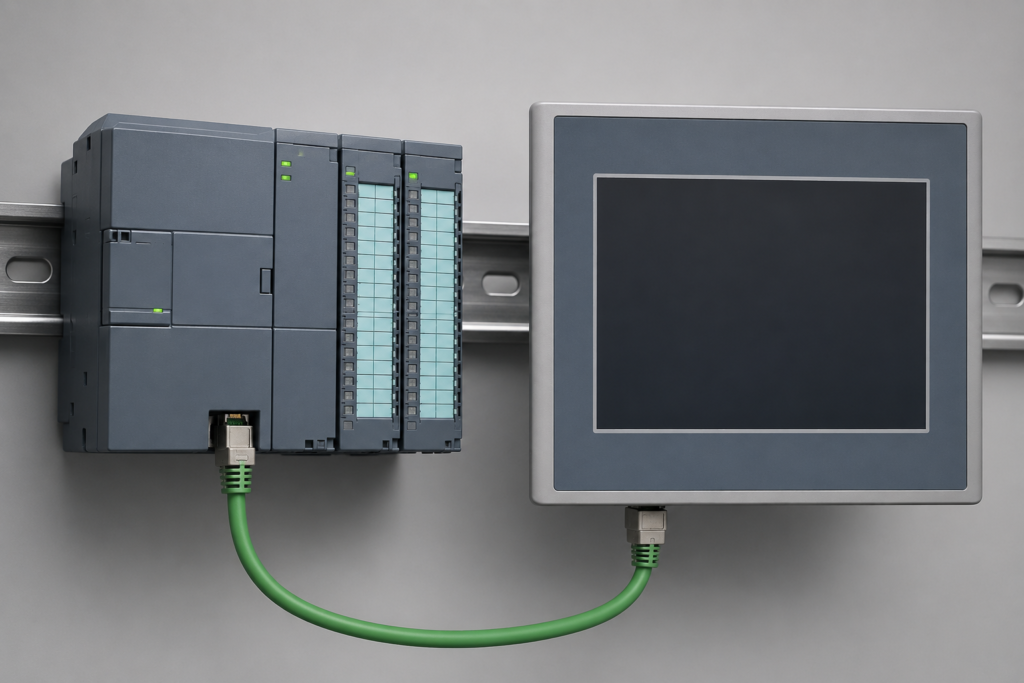
Siemens PLC HMI refers to the communication between a Siemens PLC and an HMI panel.
- PLC is a controller that processes inputs and outputs.
- HMI is a display interface that shows machine status and allows user interaction.
When both are connected, operators can easily control machines, view data, and monitor processes.
The Siemens PLC HMI system is widely used in factories, production lines, and automation systems because it simplifies complex operations.
How Siemens PLC HMI Connection Works
The working of Siemens PLC HMI is based on data communication.
- Sensors send signals to the PLC
- PLC processes the input signals
- PLC sends output data to machines
- HMI displays this data in a graphical format
This process happens continuously in real time.
For example, if a motor is running, the PLC will detect its status and send it to the HMI. The operator can then see whether the motor is ON or OFF on the screen.
Components of Siemens PLC HMI System
A complete Siemens PLC HMI setup includes the following components:
1. Siemens PLC
It is the brain of the system. It controls all logic operations.
2. HMI Panel
It is the visual interface used by operators.
3. Communication Cable or Network
Used to connect PLC and HMI (like Ethernet or PROFINET).
4. Sensors and Actuators
These devices provide input and perform actions.
Types of Siemens PLC Used with HMI
Siemens offers different PLC series used in Siemens PLC HMI systems:
1. Siemens S7-1200
- Best for small automation projects
- Easy to program
- Common in beginner-level systems
2. Siemens S7-1500
- Used in advanced industrial systems
- High performance and speed
- Supports complex automation tasks
3. Siemens S7-300 / S7-400
- Older models but still used in industries
- Reliable for large-scale systems
Types of HMI Panels
Different HMI panels are used in Siemens PLC HMI systems:
1. Basic Panels
- Simple display functions
- Used for small machines
2. Comfort Panels
- Advanced graphics
- Touch screen support
- Used in modern industries
3. Mobile HMI
- Remote access via mobile or PC
- Flexible monitoring system
The connection between PLC and HMI can be done using different protocols:
1. PROFINET
- Fast and reliable communication
- Most commonly used in Siemens systems
2. MPI (Multi Point Interface)
- Older communication method
- Used in legacy systems
3. Ethernet
- Modern and flexible
- Supports high-speed data transfer
Applications of Siemens PLC HMI
The Siemens PLC HMI system is used in many industries:
- Manufacturing plants
- Food processing industries
- Water treatment plants
- Packaging industries
- Automotive production lines
- Power plants
These industries rely on automation for smooth operation and better productivity.
Here is a simple connection process:
- Configure PLC in TIA Portal
- Create a new HMI project
- Add communication settings
- Link PLC tags to HMI tags
- Design HMI screens
- Test the connection
This process helps beginners understand real industrial setup.
Common Problems and Solutions
Problem 1: No Communication
- Check cable connection
- Verify IP address
Problem 2: Wrong Data Display
- Check tag mapping
- Ensure correct data type
Problem 3: HMI Not Updating
- Restart system
- Check PLC program status